What an Auto Repair Website Needs to Turn Visitors Into Booked Jobs
Published by AutoPilot Media Team · 2026-11-12
1. Put the next step above the fold
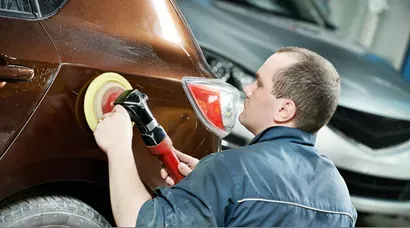
Working solely with collision repair and auto repair shops across the US, we've seen that a website has to answer practical questions before it impresses anyone with design. Does this shop handle my problem? Is it near me? Can I speak to someone or request an estimate? The opening screen should make those answers obvious without sending a driver through a menu.
Put the shop name, main service, city and a tap-to-call button where a mobile visitor can see them immediately. Add a clear alternative such as requesting an estimate or booking service. Use wording that matches the actual process. If a form starts an appointment request rather than confirming a slot, say so.
Make the phone number a working telephone link and test it on a real phone. A sticky call button helps as people scroll, provided it does not cover the content or form controls. Our auto repair website design service starts with this customer path: understand the shop, choose a next step and reach a team ready to help.
2. Make the mobile experience fast and easy to use
A website should load useful content quickly on an ordinary mobile connection, not just on the owner's office computer. Compress photos, serve appropriately sized images and keep decorative effects from delaying the headline and contact options. A large background video is not helping if the visitor is waiting to find the phone number.
Use readable text, clear contrast and buttons that are comfortable to tap. Forms should work with the on-screen keyboard open. Menus should be easy to close, and important information should remain visible without awkward horizontal scrolling. These details matter to someone standing beside a damaged vehicle or checking shops between errands.
Test the complete task, not just the homepage. Open a service page, tap the number, request an estimate and try uploading photos. Check the confirmation message and make sure the shop receives the submission. Repeat after significant changes. A visually attractive page is only doing its job when a customer can finish the action it asks them to take.
- Load the service message and contact options before decorative extras.
- Use compressed, correctly sized images and dependable hosting.
- Check menus, buttons and forms on real mobile devices.
- Confirm that every successful submission reaches the right person.
3. Show real people, real work and verifiable trust
Real photos help a driver recognize the shop before arriving. Show the exterior, entrance, reception area, team and repair work. A customer who knows where to pull in has one less question to solve. Pictures of your own facility also make the website feel connected to the business they will actually visit.
Use before-and-after images with enough context to understand the work. Explain the repair type in plain English and use photos with the customer's permission. The purpose is to demonstrate care and capability, then invite a proper assessment.
Display current certifications and trust badges that the shop has earned. Explain what a certification relates to instead of expecting every customer to recognize the logo. Keep team and facility information current, and describe relevant equipment in terms of the work it supports. Specific, accurate proof is more useful than a page crowded with unexplained symbols.
4. Give each important repair type a useful service page

A single services list cannot answer every customer's questions. Create dedicated pages for the repair types the shop actually performs and wants to book. A collision repair website might explain bumper repair, dent repair, paint work and structural repairs separately. A mechanical shop should organize pages around its real service capabilities rather than copying a collision shop's menu.
Each page should explain the problem, how the shop evaluates it and what the customer should do next. Include relevant photos, practical questions and a direct contact option. Describe the process clearly and invite an inspection for a final diagnosis and price. Clear service pages give your front desk better-prepared conversations.
Use customer language in headings and explanations. Someone may know only that their bumper is loose or their paint is peeling. Help them connect that problem to the right service. Our auto repair SEO service builds on that same principle: useful pages that match real searches and make contacting the shop straightforward.
Connect related services where it helps the reader. A dent page can explain when paintless repair may be considered and when paint work requires assessment. The objective is not to produce the largest menu. It is to help a driver understand that your shop handles their problem and can explain the next step.
5. Explain insurance help, hours and location clearly
An insurance and claims help page gives collision customers a place to start. Explain what information to bring, how estimate discussions work and what assistance your team provides with repair-related paperwork. Describe deductible questions honestly and distinguish the shop's role from decisions made by the insurer. Customers benefit from a clear process they can follow.
Show accurate hours and explain whether estimates require an appointment. If a customer can submit a request after hours, say when the team will respond. Include the full address, a useful map link, parking or entrance instructions and any details that make arrival easier. Keep the same core information current on your Google Business Profile.
Use city and service-area pages where you genuinely serve drivers. Give each page useful local context, directions or service information rather than replacing a city name in identical copy. Be clear about your actual location. A service-area page should help someone decide whether the trip makes sense.
- Claims help: what to bring and what your team can explain.
- Hours: current opening times and the estimate appointment process.
- Location: address, directions, entrance and parking details.
- Service area: honest coverage and practical reasons to visit.
6. Put real reviews beside the decision to contact you
Reviews are most useful where a customer is deciding whether to call or request an estimate. Put relevant, genuine feedback near those choices rather than hiding everything on a separate testimonial page. Make the source clear and preserve the meaning of the customer's words. A link to the review profile gives visitors a way to explore further.
Choose feedback that answers practical concerns, such as communication, the estimate experience or the quality of the finished repair. Let the details build confidence in your own customers' words.
Support the website with a consistent review request process after service. Make it easy for customers to share feedback and assign someone to respond thoughtfully. Our guide to getting more Google reviews explains how to make requests part of the shop's workflow instead of another task the owner has to remember.
7. Make photo estimate requests simple and dependable
A useful estimate form asks for information the shop will use: name, contact details, vehicle, repair need and a preferred way to respond. Give customers the option to upload photos when that helps your estimator prepare. Keep the required fields focused so the form starts a conversation rather than feeling like a repair order they have to complete alone.
Tell people what photos are helpful, such as an overall view and clear images of the damaged area. Support uploads from a phone and explain any file limitations in plain English. Offer a way to continue when a customer cannot upload an image. The form should still help someone whose connection or device makes photos difficult.
Set expectations beside the submit button. Explain that photos help the team review the request and that an inspection confirms the full repair scope. After submission, show a confirmation with the shop's contact details and the next step. Deliver the request and attachments to an assigned person, then test that handoff regularly.
Handle customer information through a secure process and limit access to the people who need it. The website should collect what is useful for the request, not unrelated personal details. A dependable form protects the customer's confidence while giving your team enough information to respond.
8. Connect the website to follow-up, booking and tracking
A website books work when calls and forms get answered. Connect inquiries to the people responsible for responding. Use missed-call text-back to acknowledge a caller when your team is occupied, then follow through with a real conversation. Automatic form acknowledgment should identify the shop and explain what happens next.
Our missed-call text-back guide covers how that response supports the front desk. Keep appointments clear as well: distinguish a request from a confirmed booking, send accurate details and make it easy for the customer to ask a question. The website's promise should match what your team delivers.
Track calls, estimate requests and booking outcomes by source. Use working call tracking and form tracking, then connect inquiries to qualified conversations, attended estimates and completed jobs. A button click alone does not establish that a useful conversation happened. Your records should show where the website helps and where the path needs attention.
Review the site as a customer and the results as an owner. Can a driver understand your services, trust the shop and reach you quickly? Can your team see and respond to every inquiry? AutoPilot connects custom websites with follow-up, lead tracking and booking so those two sides work together. That is what turns a website from an online brochure into a practical part of the shop's sales process.
Frequently asked questions
What should be at the top of an auto repair website?
Show the shop name, main service, city, tap-to-call number and a clear estimate or appointment option. A mobile visitor should understand what you do and how to contact you without searching through the menu.
Does every repair service need its own website page?
Create useful pages for the important services you provide and want to book. Each should explain the repair need, your assessment process and the next step. Combine services when separate pages would add little useful information.
Can customers get a final collision repair price from uploaded photos?
Photos help an estimator understand the request and prepare for a conversation. An inspection confirms the full repair scope, including damage that is not visible in the images. Set that expectation before the customer submits.
Should my website include nearby city pages?
Use them when they help drivers in areas you genuinely serve. Add practical service information and directions, make your actual location clear and give each page a purpose beyond repeating the same text with another city name.
How do I measure whether my shop website is working?
Track qualified calls, estimate requests, booked and attended appointments, and completed jobs by source. Test the mobile experience and inquiry delivery as well. Traffic is useful context, but booked work shows whether the customer path is functioning.
Related guides
- Body Shop Marketing Plan: 6 Steps to More Collision Jobs
- How to Get More Google Reviews for Your Auto Shop
- Missed Calls Are Costing Your Shop Jobs: What Missed-Call Text-Back Does
Related service: Auto Repair Website Design